Products
AI Blog Generator
As many good articles as you need.
Hand it a theme and it drafts the article, outline through body. It generates the images too, matched to how the blog looks. A person reads the result and fixes anything that needs fixing, on the spot. The point is that how many people can write should stop deciding how much you can publish.
- Outline through body, drafted in one pass
- Images generated to match how the blog looks
- A person reads it and fixes it on the spot
What it does
As many good articles as you need.
Outline through body, drafted in one pass
Give it a theme and your reference material, and the outline, headings, body and summary come back as a draft. Each block keeps the sources it drew on, so a claim can be traced later. Publishing more does not mean proportionally more checking.
Images generated to match how the blog looks
Hero images and illustrations are generated from the article itself. The style direction and reference images are stored per blog, so the look holds however many pieces you publish — and hunting for stock photography stops being part of writing.
A person reads it and fixes it on the spot
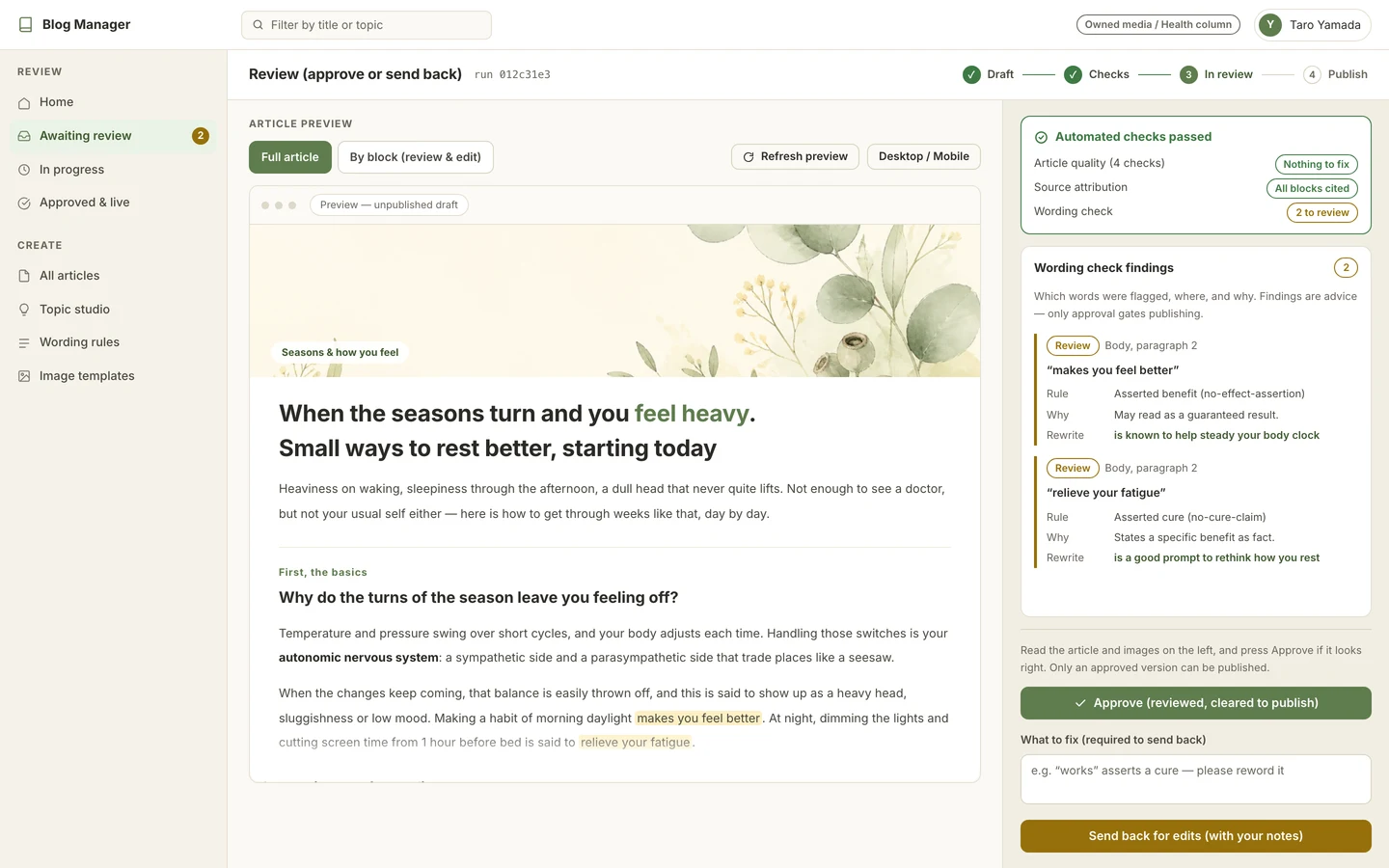
Read the finished piece in preview and edit any block in place. You can also hand it back to the AI with a note on what to change. Where wording carries risk, an automatic pre-publish check and a reviewer's sign-off can be made mandatory.
How it works
From first run to done
- 1
Raise
Register the theme for an article.
- 2
Plan
Confirm the outline and target keywords.
- 3
Draft
Generate the body and images matched to the blog.
- 4
Review
Read it, edit in place, or send back a note.
- 5
Publish
Publish now or schedule it.
Screens
What you actually work in
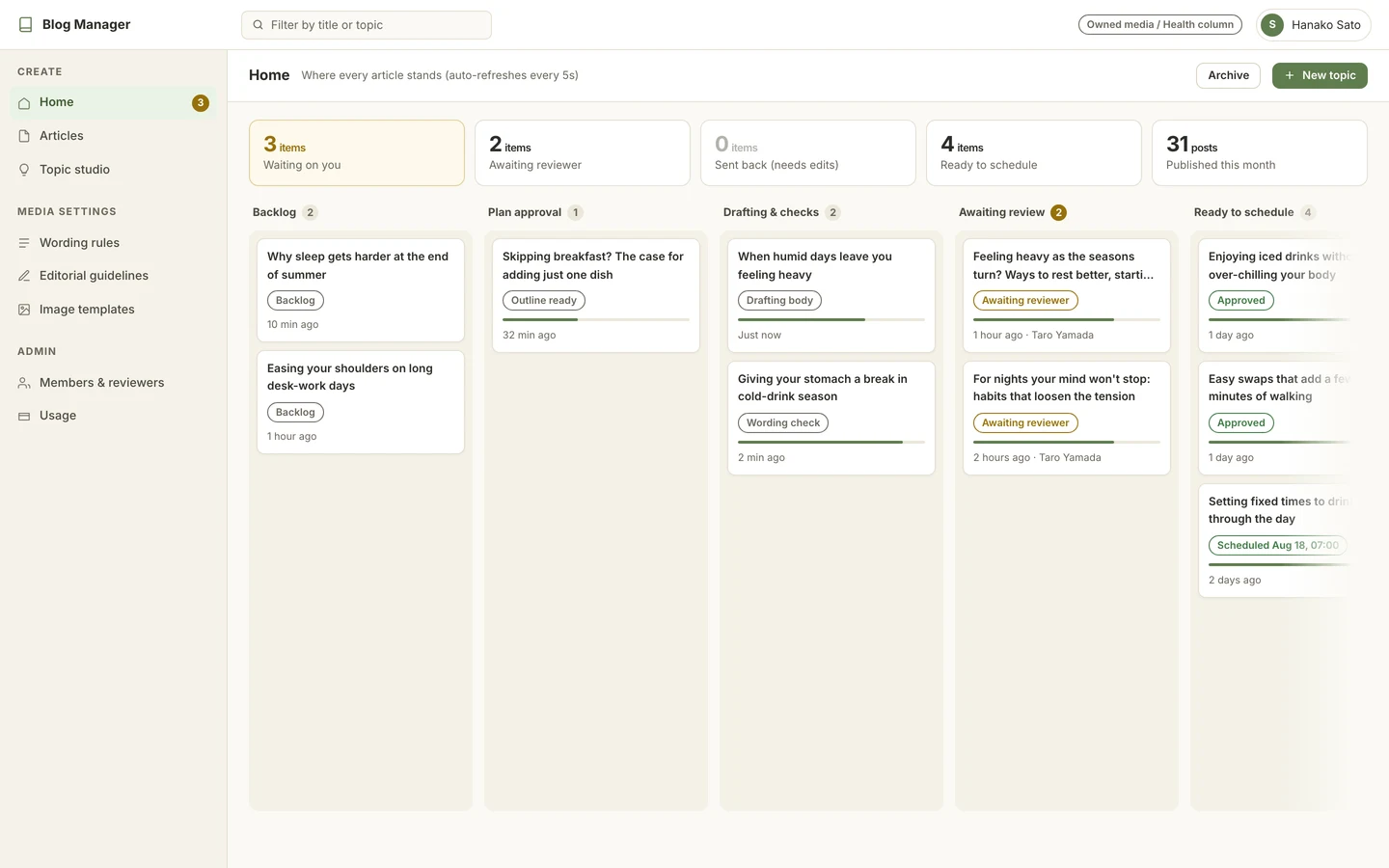
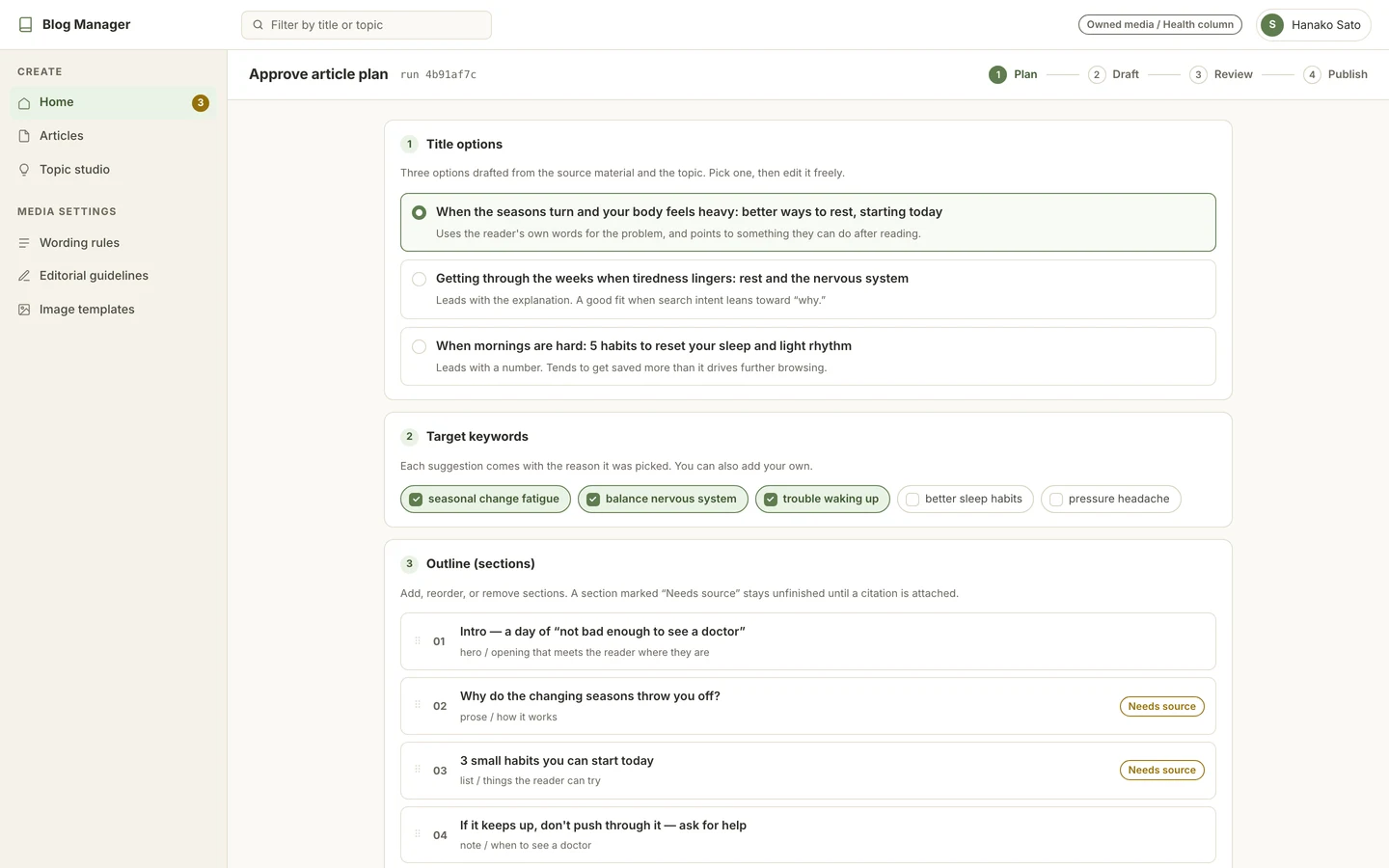
At a glance
Where it reaches
- Input
- A theme, target keywords, reference material (PDF, text)
- Generates
- Outline, headings, body and summary, plus images made for the article
- Imagery
- Style direction and reference images stored per blog, so the look stays consistent
- Review
- Block-level editing, revision notes to the AI, optional pre-publish wording check and sign-off
- Publishing
- Publish now, schedule, replace in place, or unpublish
Contact
Thinking about using it?
Tell us about your setup and the way you work, and we can talk through whether it fits.