Products
Business Card Scanner
Shoot the whole stack. Get contacts.
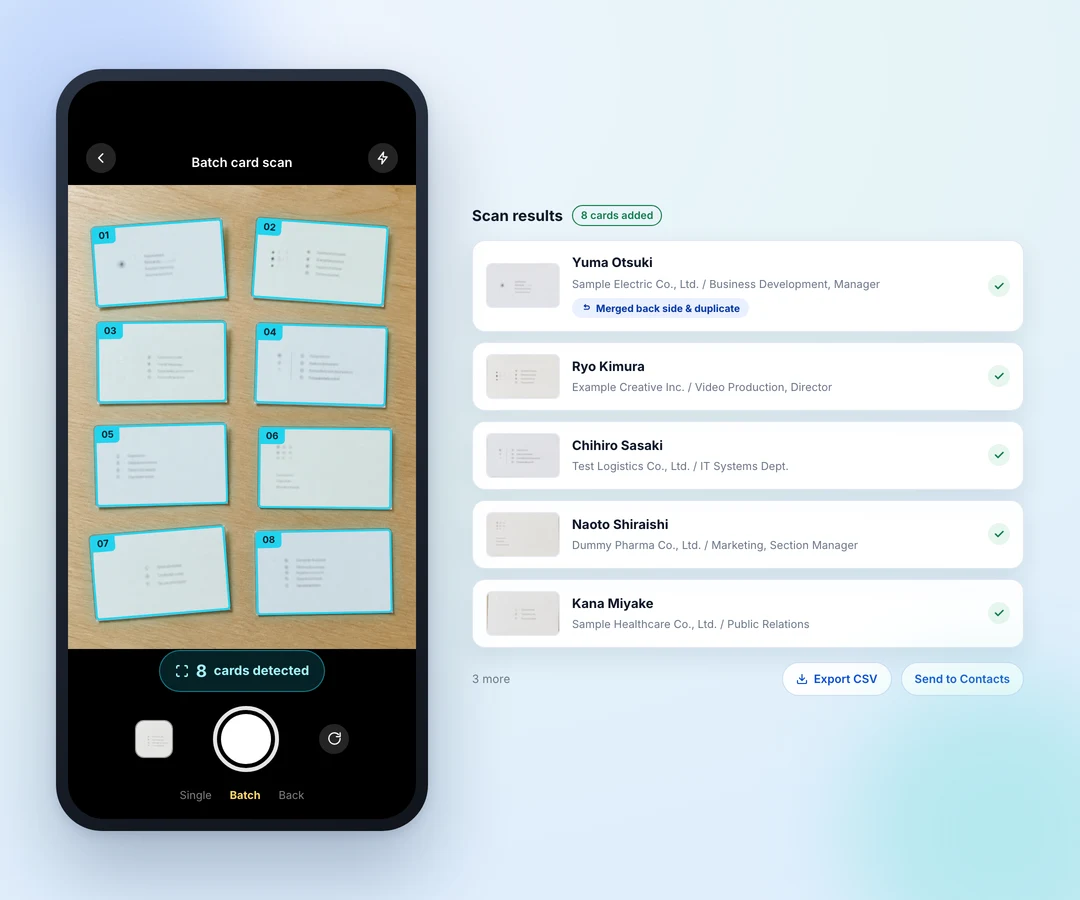
Lay the cards out, take one photo, and each card is cropped, read and filed as a contact. Backs are matched to fronts, and the same person's cards are merged. No dedicated scanner is involved. The contacts sitting in everyone's card holder become something the whole company can search.
- One photo, every card
- Fronts, backs and duplicates joined up
- Shared across the company, with no scanner to buy
What it does
Shoot the whole stack. Get contacts.
One photo, every card
Fit the cards into a single frame. The count of detected cards is shown before you shoot, so you notice if one is missing. Shoot them one at a time instead, or add more later.
Fronts, backs and duplicates joined up
Photograph the backs separately and they still attach to the right card. Meet someone twice and you get one contact, not two: a newer title takes precedence, and the previous one is kept in the history.
Shared across the company, with no scanner to buy
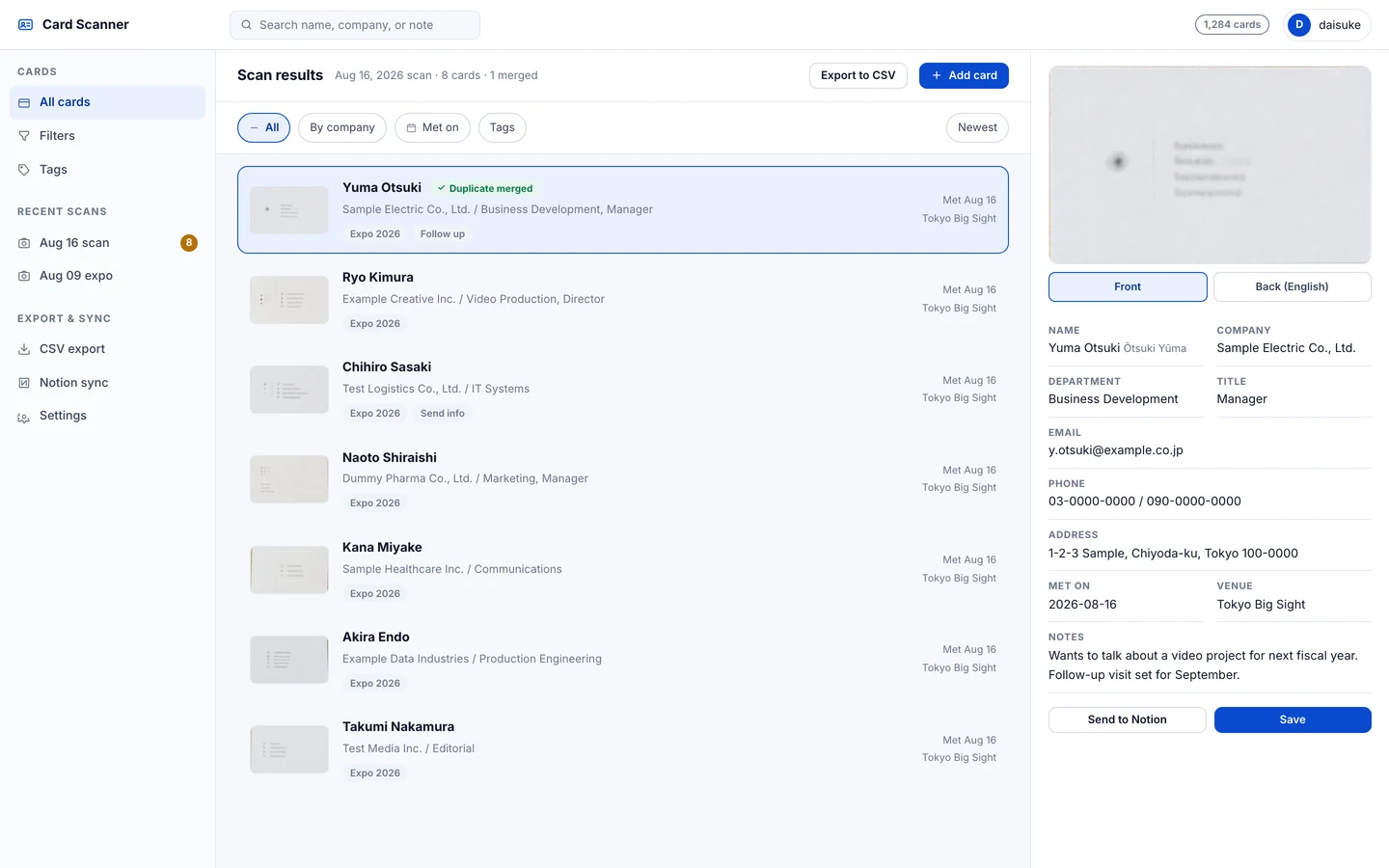
All it needs is the device already in your hand — no dedicated scanner, no per-card fee. Contacts can be searched by name, company, department or when you met, and exported to CSV or Notion to feed whatever system you already run.
How it works
From first run to done
- 1
Shoot
Photograph the cards laid out on the desk.
- 2
Crop
Each card is cut out automatically.
- 3
Read
Name, company and contact details are read field by field.
- 4
Merge
Fronts meet backs; duplicates merge.
- 5
Share
Search and filter across the company; export to CSV or Notion.
Screens
What you actually work in
At a glance
Where it reaches
- Input
- A photo of several cards at once, or scanned images. No special hardware
- Extraction
- Name, company, department, title, email, phone, address, notes
- Organisation
- Front/back joining, duplicate merging, tags, when and where you met
- Downstream
- Full-text search and filtering, CSV export, Notion sync
Contact
Thinking about using it?
Tell us about your setup and the way you work, and we can talk through whether it fits.